Roblox Free VPN

Play Roblox no matter where you are! Connect with our VPN and jump into your favorite Roblox worlds without limits or interruptions!

  • Play Roblox effortlessly with Browsec VPN!
  • High-speed servers in over 40 countries
  • Top security and protection guaranteed

How to Play Roblox with a VPN

Do you want to play Roblox but you’re traveling abroad, on a restricted network, or facing regional limitations? No worries. Bypass access issues easily with Browsec VPN.

1단계
Download the Browsec VPN app on your device. It works on smartphones, tablets, laptops, and desktop computers.
2단계
Choose your preferred location from the list of available countries inside the app.
3단계
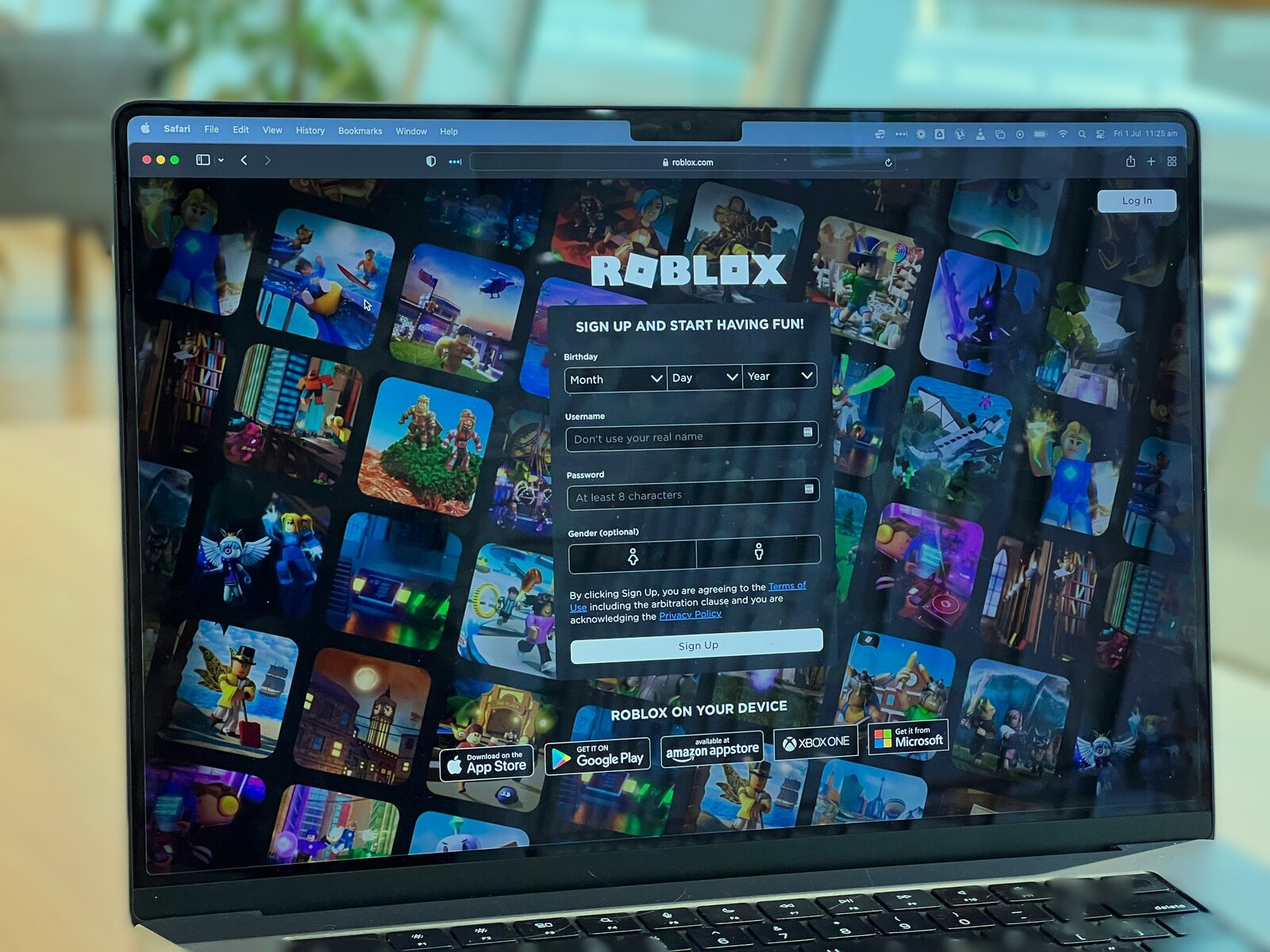
Launch Roblox, log in to your account, and start playing your favorite games.

Want to use Browsec VPN for more, like browsing safely or accessing content on your laptop? Our browser extensions for Chrome, Firefox, Edge, or Opera and desktop apps for computers running on Windows, Linux, or macOS are ready to make your experience even better!

Play Roblox with Browsec VPN

Roblox is one of the most popular online gaming platforms in the world, offering millions of user-created games and experiences for players of all ages. While Roblox is widely accessible, performance, availability, and access can still vary depending on your location and network.

Roblox operates servers across different regions to support its massive global player base of 111M+ daily users. This helps reduce lag and ensure smoother gameplay for users around the world.

But if you are traveling, living in a region with restricted access, using a school or work network, or experiencing slow connections due to server distance, you may face difficulties accessing Roblox or enjoying stable gameplay.

Browsec can help with that. Browsec VPN hides your real location and lets you connect through servers worldwide. With just one click, you can appear as if you’re connecting from another country, bypass network restrictions, and potentially improve connection stability by selecting a server closer to Roblox’s infrastructure.

The Premium Plan takes your gaming experience further by offering access to premium servers with dedicated traffic lanes. This means smoother connections, faster speeds, and fewer interruptions while playing Roblox.

Play Roblox with Browsec VPN

When to Use a VPN For Roblox?

Using a VPN for Roblox can significantly improve your experience, especially in specific situations. Here are some common cases where Browsec VPN can help:

Network Congestion

Network congestion happens when too many users share the same internet connection, especially during peak hours. This results in slower speeds, higher latency, and packet loss.

When networks become overloaded, Roblox gameplay can suffer from delays, lag, or even disconnections, making games far less enjoyable.

Distance From the Server

The physical distance between you and Roblox servers plays a big role in connection quality. If data has to travel long distances, latency increases, which leads to lag and delayed in-game actions.

This can make movements, interactions, and loading times slower and less responsive during gameplay.

Server Issues

Occasionally, Roblox servers may experience maintenance or technical difficulties. These issues can cause connection drops, slow loading, or temporary access problems.

When this happens, players have limited control and usually need to wait until the servers stabilize.
보안 강화하기

Browsec VPN을 선택하는 이유

보안
Browsec은 데이터를 암호화해 무단 접근으로부터 확실하게 보호합니다.
속도
웹사이트와 동영상 스트리밍이 빨리 로딩되어 웹 서핑이 끊기지 않습니다.
간편한 사용
Browsec은 이해하기도 쓰기도 쉬워서 기술 지식과 상관없이 누구나 쓸 수 있습니다.
강력한 암호화
군사 등급 암호화로 데이터를 보호하세요.
자유로운 접속
Browsec VPN을 쓰면 내 지역에서 제한될 수 있는 콘텐츠도 이용할 수 있습니다.
회원가입 불필요
Browsec VPN은 회원가입이나 로그인 없이 사용할 수 있습니다.
무료 VPN 서비스
Browsec VPN은 무료입니다. 돈 한 푼 들이지 않고 인터넷을 제한 없이 쓸 수 있습니다.
여러 가상 위치
40곳이 넘는 위치 중에서 필요에 맞는 곳을 고르세요.
익명성
Browsec은 온라인에서 꼭 필요한 프라이버시를 지켜 익명으로 인터넷을 쓸 수 있도록 돕습니다.

Does Roblox Work With a VPN?

Yes! Using a VPN with Roblox works perfectly and can help ensure smoother and more reliable gameplay. That said, not all VPNs provide the same quality or stability.

Browsec VPN is designed to deliver fast, secure, and stable connections, helping players stay connected no matter the network conditions.

With regularly updated infrastructure and secure servers, Browsec VPN can help you enjoy Roblox without unnecessary interruptions.

Should I Use a Free VPN To Play Roblox?

If you want to play Roblox without spending extra money while still protecting your connection, a free VPN can be a practical option.

Browsec VPN offers both free and paid subscriptions, giving players flexibility depending on their needs. Whether you play casually or spend hours exploring Roblox worlds, there’s a plan that fits.

The Premium Plan unlocks unlimited bandwidth, premium servers, and consistently fast connections, all while strengthening your online privacy.

무료
월 $0.00
  • 군사 등급 암호화
  • 광고 없음
  • 1000Mbit/s 속도
  • 46개 이상 국가에 서버 1,000대 이상
  • 컴퓨터 전체를 보호하는 데스크톱 앱
Works in Chrome, Firefox,
iOS and Android
Premium
월 $2.99
  • 군사 등급 암호화
  • 광고 없음
  • 1000Mbit/s 속도
  • 46개 이상 국가에 서버 1,000대 이상
  • 컴퓨터 전체를 보호하는 데스크톱 앱
위험 부담 없는 7일 환불 보장

다른 VPN과 비교

Browsec
대부분의 무료 VPN
광고 없음
서버가 있는 국가 수
46+
< 10
고객 지원
호환 기기
온라인 활동 추적
하지 않음
할 수도 있음
동시 연결
5
1
자체 VPN 프로토콜
Xray/IPsec
없음

자주 묻는 질문

Can I use Browsec VPN on multiple devices?

Yes, you can use several mobile and desktop devices at the same time. You can connect up to 5 devices to a single account. When using the browser extension, each browser with Browsec installed counts as a separate device. If you need to use Browsec on more than five devices, please contact support.

How do I update Browsec VPN app?

To maintain optimal performance and security, always keep Browsec VPN up to date. Updates are available through your device’s app store, Google Play Store for Android and Apple App Store for iOS. If an update is available, simply tap the “Update” button.

Does using a VPN affect my internet speed while playing Roblox?

A VPN can sometimes impact speed due to encryption and server distance. However, Browsec VPN is optimized for high-speed connections, especially when you choose a nearby server or use the Premium Plan with access to 1000+ servers across 43 countries.

Can I switch server locations while playing Roblox with Browsec VPN?

Yes, you can change server locations at any time in the Browsec VPN app. It’s best to switch servers before launching Roblox to avoid possible interruptions during gameplay.

Can I use Browsec VPN with other games besides Roblox?

Definitely! While this guide focuses on Roblox, Browsec VPN works with most online games and is also useful for secure browsing and accessing geo-restricted content.

How can a VPN help reduce lag in Roblox?

A VPN can help reduce lag by optimizing your network route, avoiding congested networks, and potentially shortening the distance between your device and game servers. It can also prevent ISP throttling that may slow down your connection.

Can I get banned for using a VPN in Roblox?

A VPN can be a useful tool for improving your privacy and security online. However, it must not be used to bypass Roblox’s Terms of Service, evade platform restrictions, or take part in any unlawful activity. When accessing Roblox, always follow the platform’s rules and applicable laws, and use a VPN responsibly and within these boundaries.